How a Planning Skill Made My AI Coding Agent 10x More Reliable
AI coding agents are fast but reckless by default. Here's how a single planning skill transformed my Claude Code agent from a code-first sprinter into a thoughtful engineer that clarifies, searches, and decomposes before writing a single line.
AISkillsProductivity
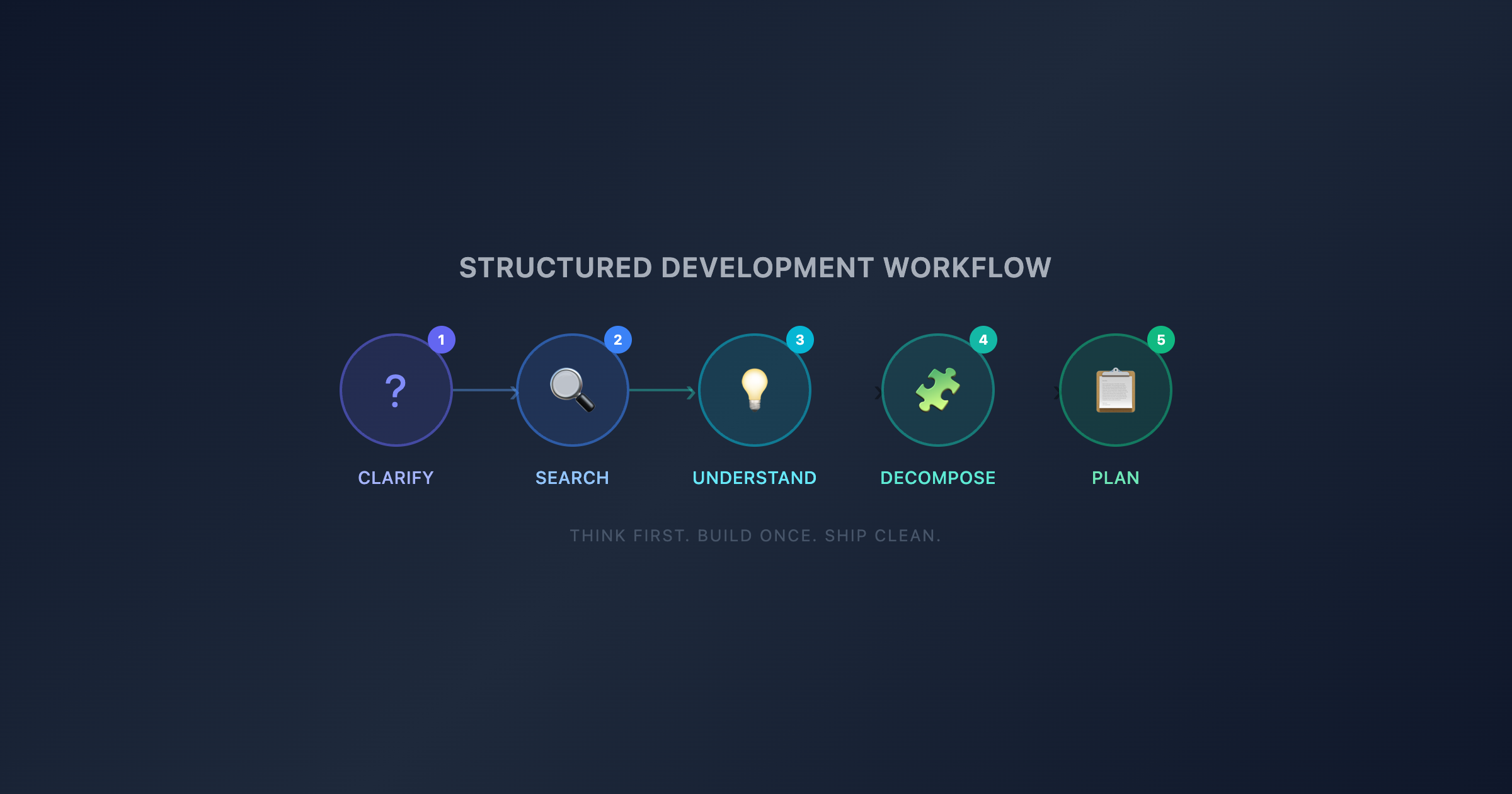
Structured Development Workflow — 5 phases: Clarify, Search, Understand, Decompose, Plan
AI coding agents are incredible. You describe a feature, and within minutes you have working code across multiple files, with tests, migrations, and API endpoints. The speed is intoxicating.
There's just one problem: speed without direction produces garbage.
I've been using Claude Code as my primary development partner for months. Out of the box, it's fast, capable, and eager to help. But "eager to help" often means "starts writing code the moment you finish your sentence." And that's exactly where things go wrong.
Here's how I built a single skill that transformed my AI agent from a reckless code-first sprinter into a thoughtful engineer — and why I think every developer using AI agents needs one.
The Default AI Agent Problem
Here's what happens without guardrails: you ask your AI agent to "add a notification system." Within 30 seconds, it's already creating files, writing models, building endpoints. It looks productive. It feels fast.
Then you realize:
It built a notification model from scratch when one already existed in your codebase
It chose a pattern that contradicts your existing architecture
It skipped edge cases you would have caught with a two-minute conversation
It touched 12 files when the change should have been 4
The agent didn't plan. It didn't search your codebase for existing patterns. It didn't ask what "notifications" even means in your context. It just... built.
This isn't the agent's fault. LLMs are optimized to be helpful and responsive. Without explicit instructions to slow down and think, they default to action. And action without context is how you end up with a codebase full of inconsistencies, duplicated utilities, and half-baked implementations.
The Fix: A Planning Skill That Runs Before Every Implementation
In Claude Code, a skill is a reusable set of instructions that activates automatically when certain conditions are met. Think of it as programming your agent's behavior — not just telling it what to build, but telling it how to think before building.
I created a skill called thoughtful-planner that triggers on any implementation task — feature requests, bug fixes, refactors. It enforces five mandatory phases before the agent writes a single line of code.
Not guidelines. Not suggestions. Hard requirements that must complete in sequence.
Phase 1: Clarify Before Planning
The agent must ask 2–4 targeted clarifying questions before proceeding. Not generic ones — specific questions about edge cases, constraints, and expected behavior:
What should happen when the input is empty?
Should this respect soft-delete filters?
Is there a permission model this needs to integrate with?
What's the expected behavior if the external API times out?
Why this matters for AI agents specifically: LLMs fill gaps with assumptions. They don't know they're assuming — they just generate the most plausible completion. Forcing clarification questions surfaces those hidden assumptions before they become code. A two-minute exchange saves an hour of debugging wrong behavior.
Phase 2: Search the Codebase First
Before creating anything new, the agent must search for existing patterns:
Similar implementations it could extend
Helper utilities that already solve part of the problem
Established conventions the solution should follow
Relevant tests that define expected behavior
This is the highest-ROI phase. Without it, AI agents constantly reinvent the wheel. Your codebase already has a BaseService class? The agent will create a standalone function. You have a consistent error handling pattern? The agent will invent a new one. Searching first means building on what exists instead of competing with it.
Phase 3: Demonstrate Understanding
Before proposing a solution, the agent creates an analogy that maps the task to something concrete.
Implementing a caching layer? "It's like keeping a notebook on your desk instead of walking to the filing cabinet every time." Building middleware? "Think airport security — every request passes through the same checkpoints."
Why this works with AI agents: Analogies force the model to compress its understanding into a simple mental model. If the analogy doesn't fit, the agent's understanding is off — and you catch it before implementation, not during code review. It's a cheap sanity check that prevents expensive rework.
Phase 4: Decompose Into Atomic Units
The agent breaks the task into the smallest testable pieces. Each unit must:
Represent one logical change
Touch 1–2 files maximum
Have clear verification steps
Be independently reviewable
"Add user notifications" becomes:
Add notification model and migration
Create notification service with send method
Add API endpoint for fetching notifications
Wire up the frontend hook
Add notification badge to the nav
This prevents the AI "mega-commit" problem. Without decomposition, agents tend to make sweeping changes across many files in one shot. The result is impossible to review, hard to debug, and risky to merge. Atomic units mean each step is verifiable before moving to the next.
Phase 5: Enter Plan Mode
Any non-trivial task gets a written plan before implementation. The agent documents its approach, the files it will touch, and the order of operations — then waits for approval.
The threshold is deliberately low: if the change involves more than three lines across multiple files, it gets a plan. This feels excessive until you see how many "small changes" an AI agent turns into unplanned refactors.
What Changed After Adding This Skill
The difference was immediate and dramatic.
Before the skill, working with Claude Code felt like pair programming with a brilliant but impatient junior developer. Fast output, but constant course corrections. I'd accept generated code, realize it didn't fit, revert, explain more context, and try again.
After the skill, it felt like working with a senior engineer who happens to type at 1000 WPM. The agent asks clarifying questions I hadn't considered. It finds existing patterns I forgot about. It proposes a plan I can review in 30 seconds. And when it finally writes code, the code fits.
Specific outcomes:
Fewer reverts. The code the agent produces now aligns with existing architecture because it searched for patterns first. I used to revert or heavily edit ~40% of generated code. Now it's closer to 10%.
Better edge case coverage. The clarification phase catches scenarios I might have missed in my initial prompt. The agent asks "what happens when this field is null?" before I think to mention it.
Reviewable diffs. Atomic decomposition means each step produces a small, focused change. I can review and approve incrementally instead of staring at a 500-line diff wondering what the agent was thinking.
Codebase consistency. The search phase means the agent builds with the codebase, not alongside it. No more duplicate utilities, no more pattern conflicts.
Why Skills Beat Prompting
You might think: "I could just tell the agent to plan before coding in my prompt." You can. But you won't do it consistently.
At 9 AM with fresh coffee, you'll write a careful prompt with context and constraints. At 5 PM under deadline pressure, you'll type "add a delete button to the profile page" and let the agent sprint.
A skill removes inconsistency from the equation. It fires every time, whether you're disciplined or exhausted. It's the same reason we use linters instead of relying on developers to remember formatting rules — automation beats willpower.
Skills also compound. The thoughtful-planner skill makes every other interaction with the agent better because the agent enters implementation with full context, a searched codebase, and a reviewed plan.
How to Build Your Own Planning Skill
If you're using Claude Code (or any AI coding agent that supports custom instructions), here's how to get started:
Document your planning phases as explicit, sequential instructions — not as suggestions, but as requirements the agent must complete before writing code
Define trigger conditions — what types of tasks should activate the skill (feature requests, bug fixes, refactors)
List anti-patterns to prevent — coding before clarifying, building before searching, making sweeping changes without decomposition
Package it as a reusable skill your entire team can share — one file that encodes your team's engineering standards into every AI interaction
The beauty of this approach is that it scales your engineering culture. Every developer on your team, regardless of experience level, gets the same structured AI workflow. The agent enforces the same standards whether it's helping a junior dev or a staff engineer.
The Bigger Point
AI coding agents are a multiplier, not a replacement. And multipliers amplify whatever you feed them — good process and bad process.
An agent without planning skills will produce code faster than any human. It will also produce technical debt faster than any human. The speed is only valuable when it's pointed in the right direction.
A single planning skill — one file, five phases, maybe 50 lines of instructions — is the difference between an AI agent that generates code and an AI agent that engineers solutions.
Don't just use AI agents. Program them. Encode your standards, your workflow, your engineering judgment into skills that fire automatically. That's not adding overhead. That's building leverage.
The best code your AI agent will ever write starts with the questions it asks before writing anything at all.